Documentation made simple. Open source. AI-ready.
Start now from your terminal:

Deploy and manage your documentation.
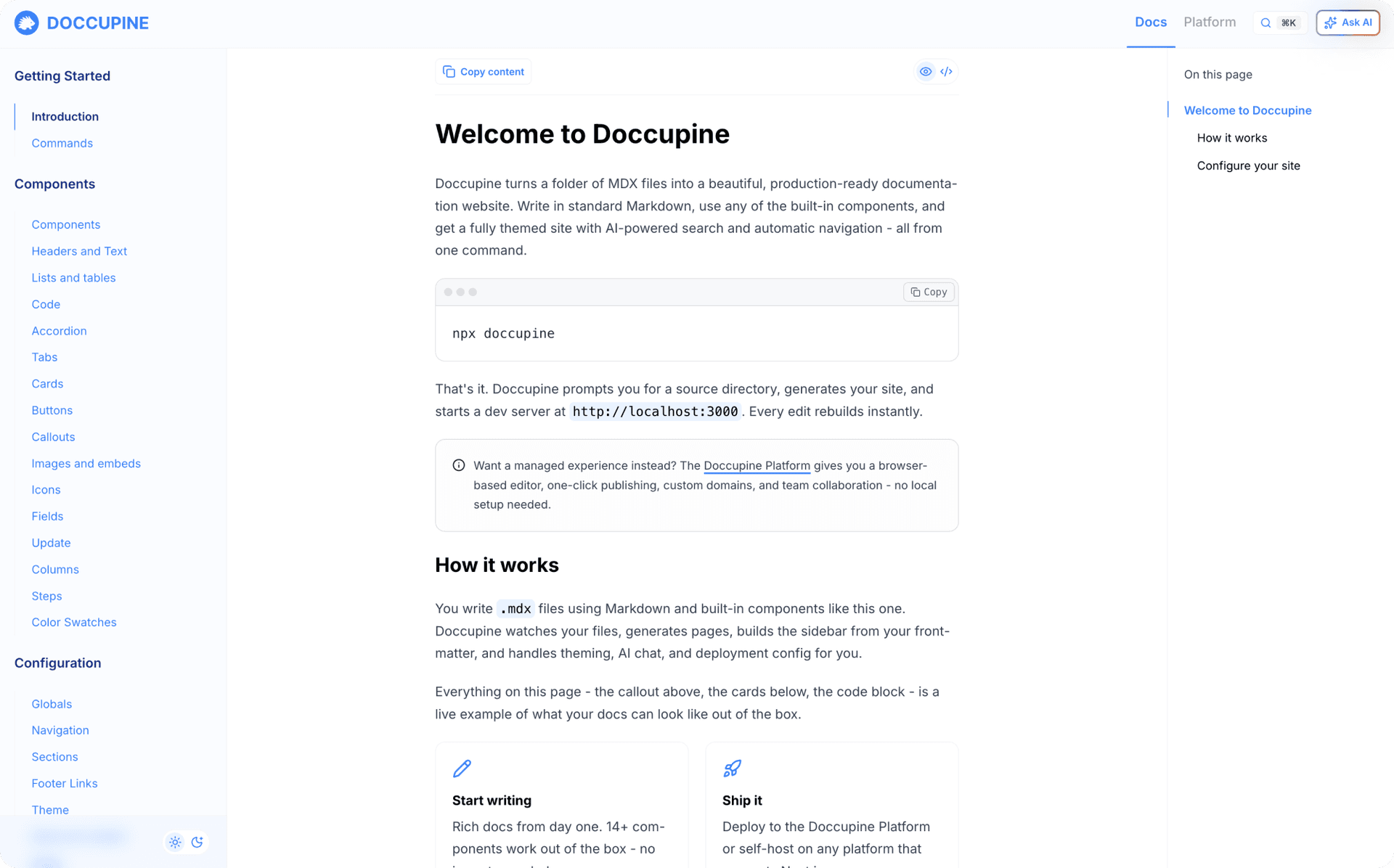
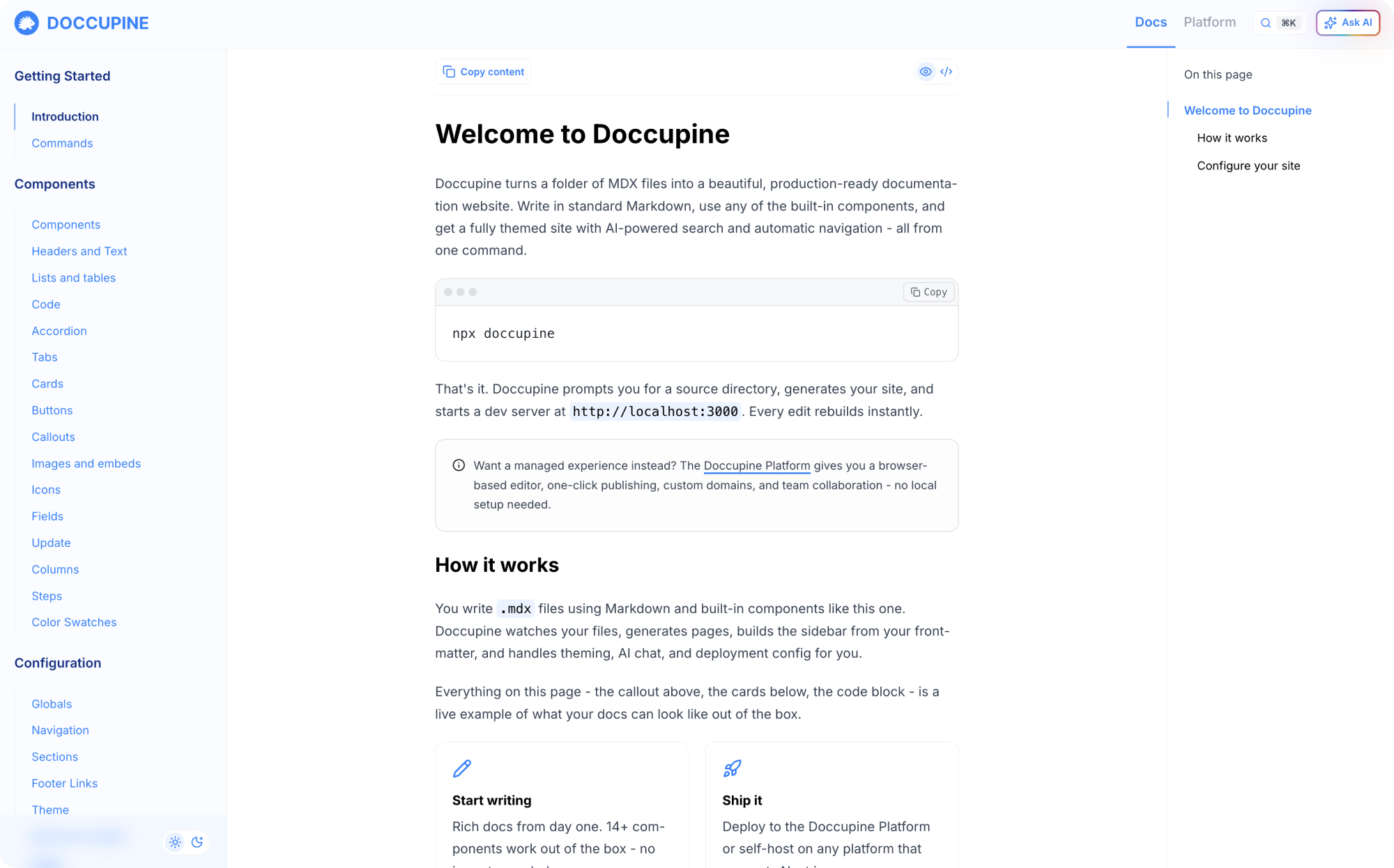
Doccupine turns Markdown or MDX files into a beautiful, modern documentation website. It is AI-ready with modular LLM plugin components and MCP support. Easy to manage with auto-generated navigation, tracked changes, and effortless deploys. Make it your own with customizable themes: fonts, logo, and brand colors.
Start your free trialInstant setup, zero config.
Go from zero to a live docs site in minutes. Managed GitHub repo, deployments, and starter template all provisioned automatically.
Built-in AI Assistant.
Three modes: platform key, BYO keys (OpenAI, Anthropic, Google with 12+ models), or off entirely. Adjustable temperature, custom model selection.
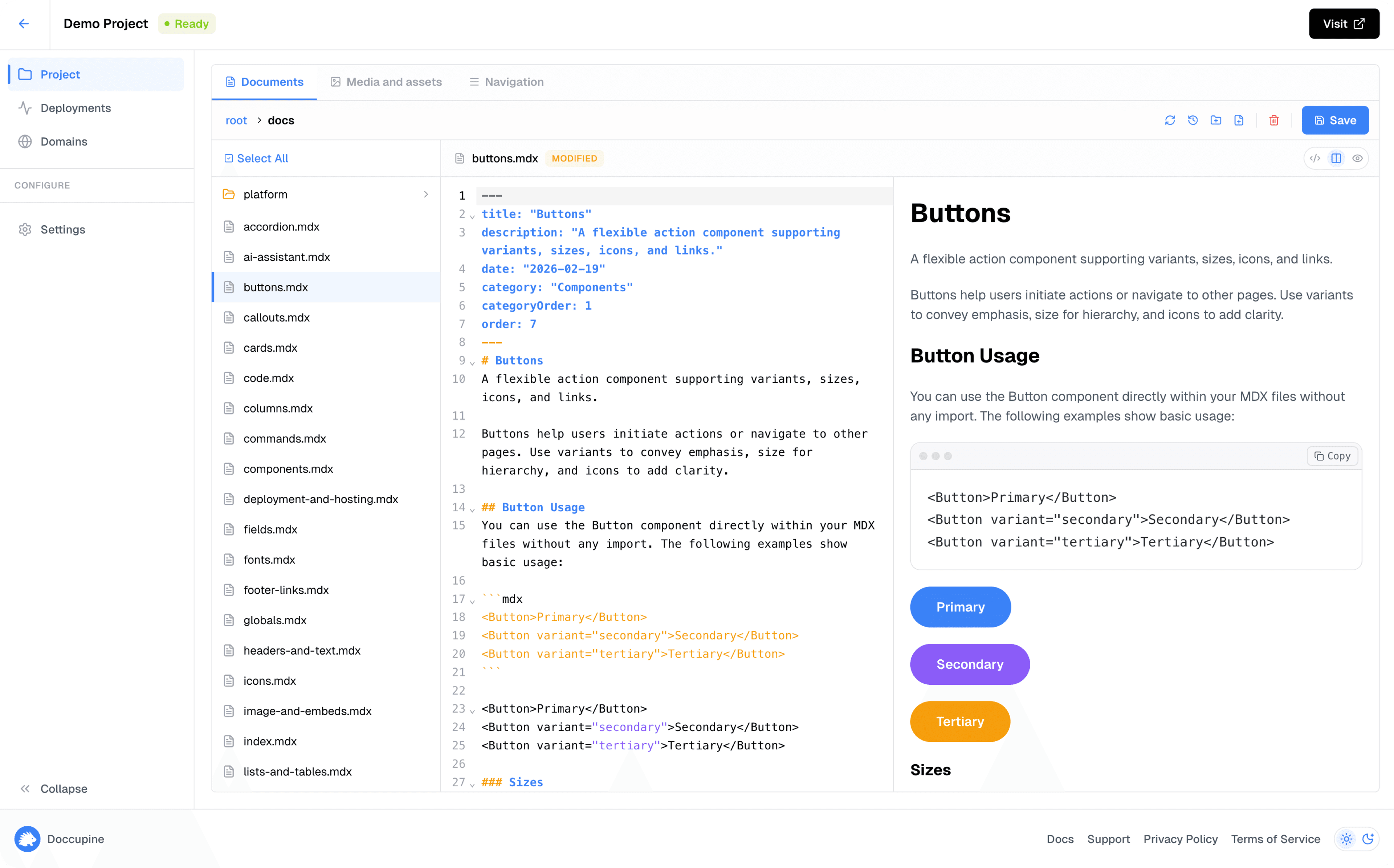
Visual editor with pending changes.
Non-technical teammates can edit docs without touching Git. Editor with live preview, media assets, and pending changes workflow batching into clean commits.
Full theme customization.
18-color palette system, dark mode with separate palette, custom logos for light/dark, and custom fonts for headings, body, and code.
Team collaboration with roles.
Four roles (Owner, Editor, Viewer, Billing) with plan-based member limits. Fine-grained access control for every project.
Custom domains.
One-click custom domain setup with DNS verification, TXT record guidance, and status tracking. Your docs at docs.yourcompany.com.
Automatic deployments.
GitHub webhook triggers deploys on every push. Real-time status tracking, build logs, and deployment history. Zero-touch CI/CD.
Navigation & content structure.
Category-based nav with drag-and-drop ordering, external links with icons, and auto-generated fallback navigation.
Media asset management.
Upload images, fonts, PDFs directly through the UI. Grid view with thumbnails, file size display, and instant preview.
Beautiful layouts with rich components.
Doccupine comes packed with essential components for professional docs: Headers and Text, Lists and Tables, Code blocks, Buttons, Accordions, Tabs, Cards, Callouts, Images and Embeds, Icons, Fields, Updates, Columns, and Steps. Drop them straight into your MDX files using simple syntax—no extra setup required for polished, interactive content.
Choose your plan.
Start building beautiful documentation today.
Pro
For individuals and small projects.
- 1 Documentation Project
- Up to 5 team members
- GitHub Repository Integration
- Automatic Deployments
- Custom Domain Support
- AI-Powered Documentation Assistant
- Full Theme Customization
Enterprise
For teams and multiple projects.
- 6 Documentation Projects
- Unlimited team members
- GitHub Repository Integration
- Automatic Deployments
- Custom Domain Support
- AI-Powered Documentation Assistant
- Full Theme Customization
Al Assistant: built-in or bring your own.
An Al assistant that works your way. Includes the option for MCP support, so your docs integrate directly into Al workflows and tools.
Use our built-in AI.
Works immediately with zero setup. Doccupine fully manages the entire Al layer. Bring your docs, not your API keys.
Bring your model.
Support for OpenAl, Anthropic, and Google. Choose from 12+ models and adjust temperature for full control.
Turn it off.
Don't need AI? Disable it entirely with a single toggle. No residual scripts, no overhead.
MCP server built in.
Every Doccupine site ships with an MCP server. AI tools like Claude Code, Cursor, and Windsurf can query your docs directly, turning your documentation into a live knowledge base for any AI workflow.
Built for professional teams.
Custom branding, team roles, and your own domain. Everything you need to ship docs your way.
Integrates with your business and your team.
Point your docs to docs.yourcompany.com. One-click setup with automatic DNS verification and real-time status tracking.
An 18-color palette, dark mode with its own palette, custom logos, and separate fonts for headings, body, and code. Make your docs match your brand.
Four distinct roles - Owner, Editor, Viewer, and Billing - with plan-based member limits. Invite your team and control who can edit, view, or manage billing.

100% open source. Yours to shape.
Want to run things on your own infrastructure, or extend Doccupine to fit your workflow, go for it! Have an idea? Submit a pull request. Every feature is shaped in the open.

Powerful Doccupine editor.
A complete editing experience right in your browser. Write, preview, and publish without leaving the platform.
Side-by-side code and preview with toggle modes. Switch between code, preview, or split view to see your changes rendered in real time.
Professional code editing with syntax highlighting, intelligent autocompletion, and keyboard shortcuts. A fast, modern editor built for MDX authoring.
Edit without touching Git directly. Stage your changes, review them, and batch everything into clean commits when you are ready.
Upload and manage images, fonts, and PDFs directly in the editor. Drag and drop files into your docs with automatic path resolution.
Edit documentation from any device. The editor adapts to tablets and phones with a mobile-optimized navigation drawer, so your team can review and update docs on the go.
Every file change is tracked through Git commits. Browse the full revision history, preview any past version, and restore it as a pending change instantly.

Frequently asked questions.
Got questions? We have answers. If you don't find what you're looking for, reach out on Discord.